AREDN mesh network getting started in Onondaga County
The full slide deck is still available: Bear Bait Radio Club Mesh network — AREDN slides
Shopping for gear? The club’s curated list: AREDN mesh equipment on kit.co
What is AREDN?
AREDN (Amateur Radio Emergency Data Network) repurposes commodity WiFi hardware with open-source firmware to build high-speed data networks on amateur radio frequencies. Instead of a few kilobits per second over packet radio, you get full IP networking — chat, email, VoIP, video, even SDR receivers — across town without any internet dependency.
Because it runs on amateur allocations, you need a license to transmit, but in exchange you get access to spectrum and power levels that unlicensed WiFi users can’t touch.
Frequencies: much more than WiFi channels 1–11
AREDN firmware opens up dedicated amateur spectrum. The main bands:
| Band | Notes |
|---|---|
| 2.4 GHz | Channels -4 through 8 overlap the unlicensed WiFi band. Channels -4 to -2 are exclusive to hams; -1 to 4 are shared with unlicensed users; channel 8 has only 5 MHz of width. |
| 900 MHz | Channels 4–7 (907–922 MHz center freqs), shared with US unlicensed users. Better foliage/building penetration than the higher bands. |
| 3.4 GHz | Channels 76–96, shared with non-amateur users. Note: 3.450–3.495 GHz was eliminated in the US as of April 2022. |
| 5.8 GHz | The workhorse — 54 channel choices (131–184). 5.745–5.830 GHz is shared with unlicensed gear but allows up to 200 W EIRP for hams; other slices are DFS/radar-avoidance or indoor-heavy. |
All of this is shared spectrum — amateur status gets you more channels and higher power, but you still yield to the primary service.
Hardware
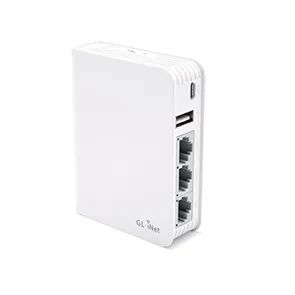
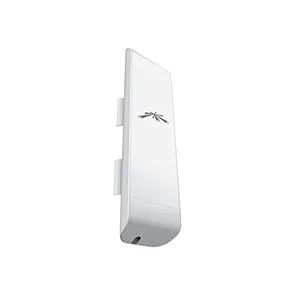
Anything on the AREDN supported device list works once flashed with AREDN firmware. Typical choices are consumer routers and outdoor radios from MikroTik, Ubiquiti, GL.iNet, and TP-Link.
These are the units shown in the presentation hardware slides:
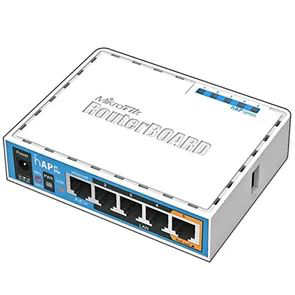
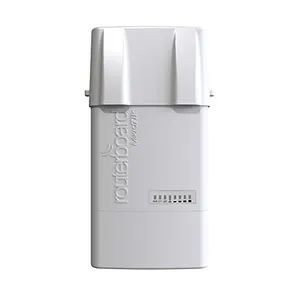
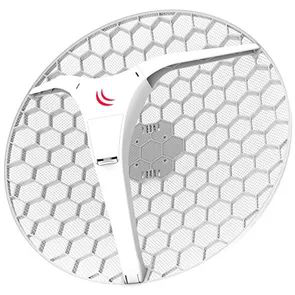
More hardware
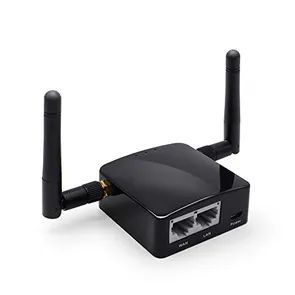
Mesh services
Once you’re on the mesh, there’s a whole network to explore:
- Email — Winlink gateway over TCP/telnet (see the K2EXE-10 gateway post)
- Chat — MeshChat
- VoIP — PBX / SIP telephony (see AREDN mesh and Allstar private nodes)
- NTP — network time service
- OpenWebRX+ — web-based SDR receiver (live demo in the presentation); if you’re on the mesh, it’s well worth opening up in a browser
Linking nodes
The basics of getting two nodes connected:
- Point-to-point links — dedicated node pairs with directional antennas
- Line of sight — the single biggest factor; rooftops and towers win
- RF path planning — tools like Scadacore to model line-of-sight paths between sites before buying hardware
Getting started
- Get licensed (or team up with a ham)
- Pick supported hardware from the kit.co list
- Flash AREDN firmware
- Choose a channel/bandwidth that fits your link
- Reach out at the monthly club meeting or via the contact form to get connected to the county mesh — see the peering overview for supernode info